 seowatcher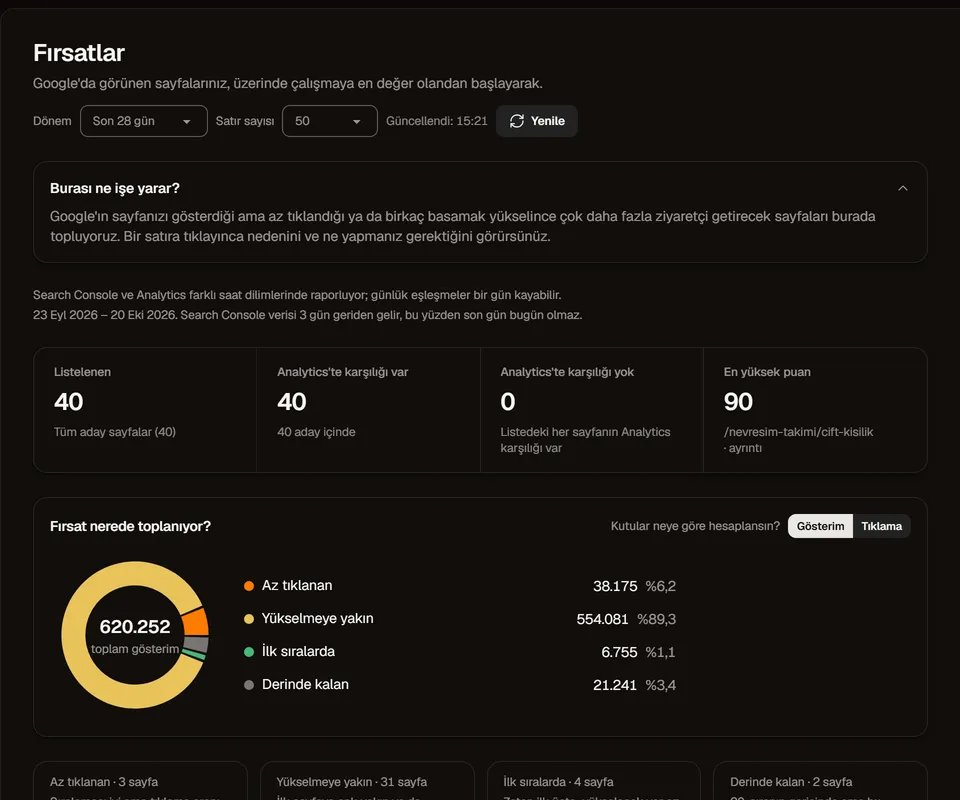
Which page should I work on this week?
It sorts the pages Google shows into four groups: rarely clicked, close to rising, already at the top, and buried deep. What to do is written next to each page, so there is no guessing. Opportunities guide.
Your Google search data and site issues, on one screen. Free and open source. One-file installation on Windows. Turkish and English interface; your data is stored on your computer.
Free, open sourceWindows 10 and 11No subscription
It installs on a computer running Windows 10 or 11. If you are on your phone, send yourself this page and open it on the computer.
 Google Search Console
  Google Analytics 4
  PageSpeed Insights
  Claude Code
  Codex (OpenAI)
  Cursor
  GitHub Copilot
  Gemini CLI
  Docker
  GitHub
 Your data is not uploaded to a central seowatcher server. The app connects to Google, the pages you audit and GitHub for update checks. Your Google key is stored encrypted. If you connect an AI assistant, data you allow it to read may be sent to that assistant's service.
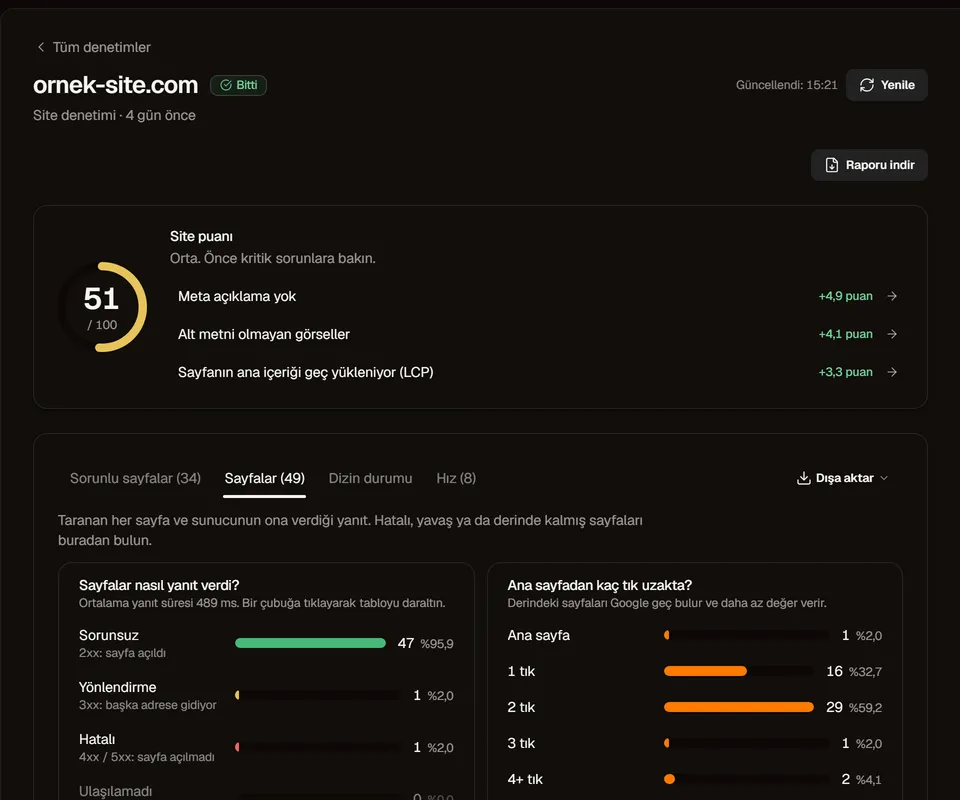
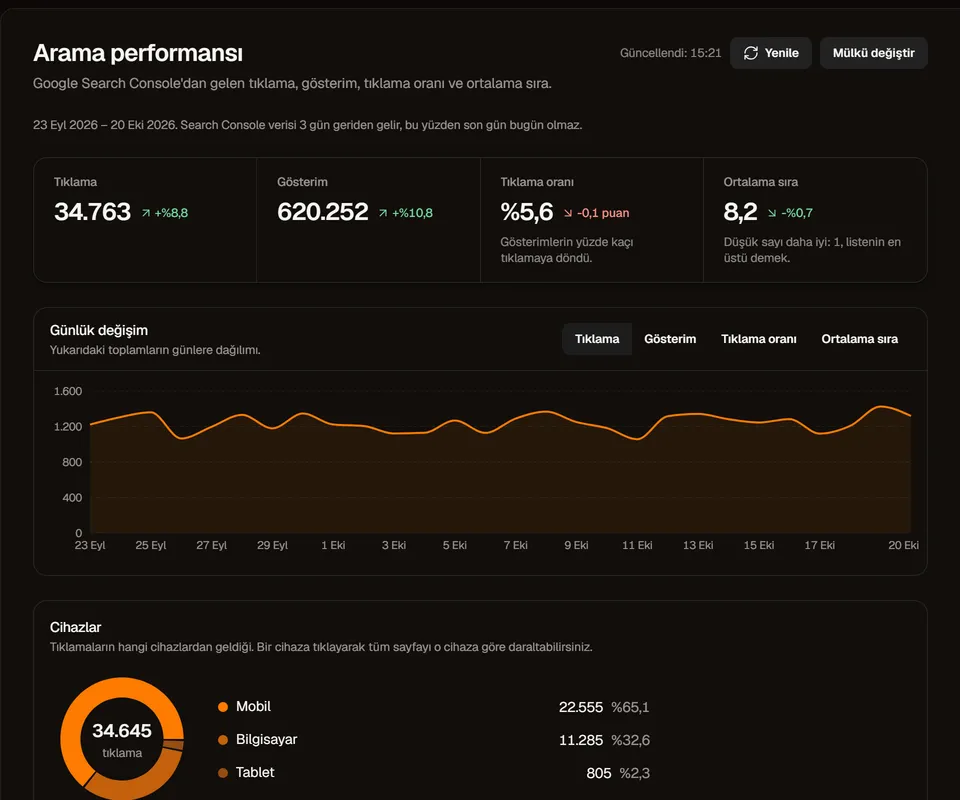
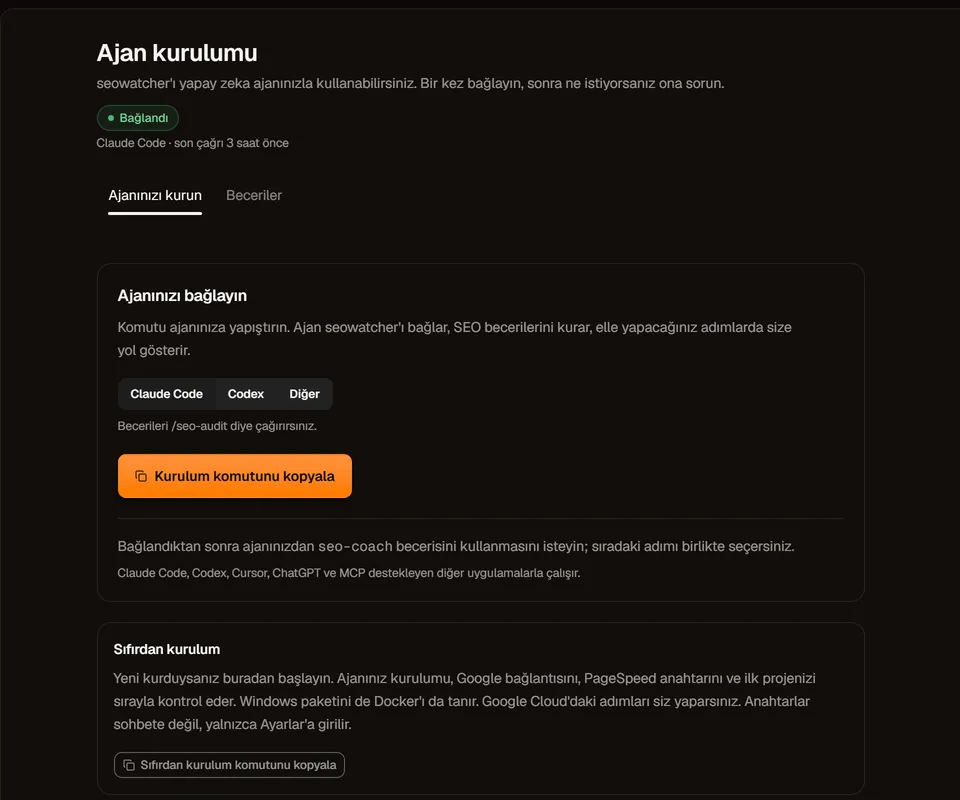
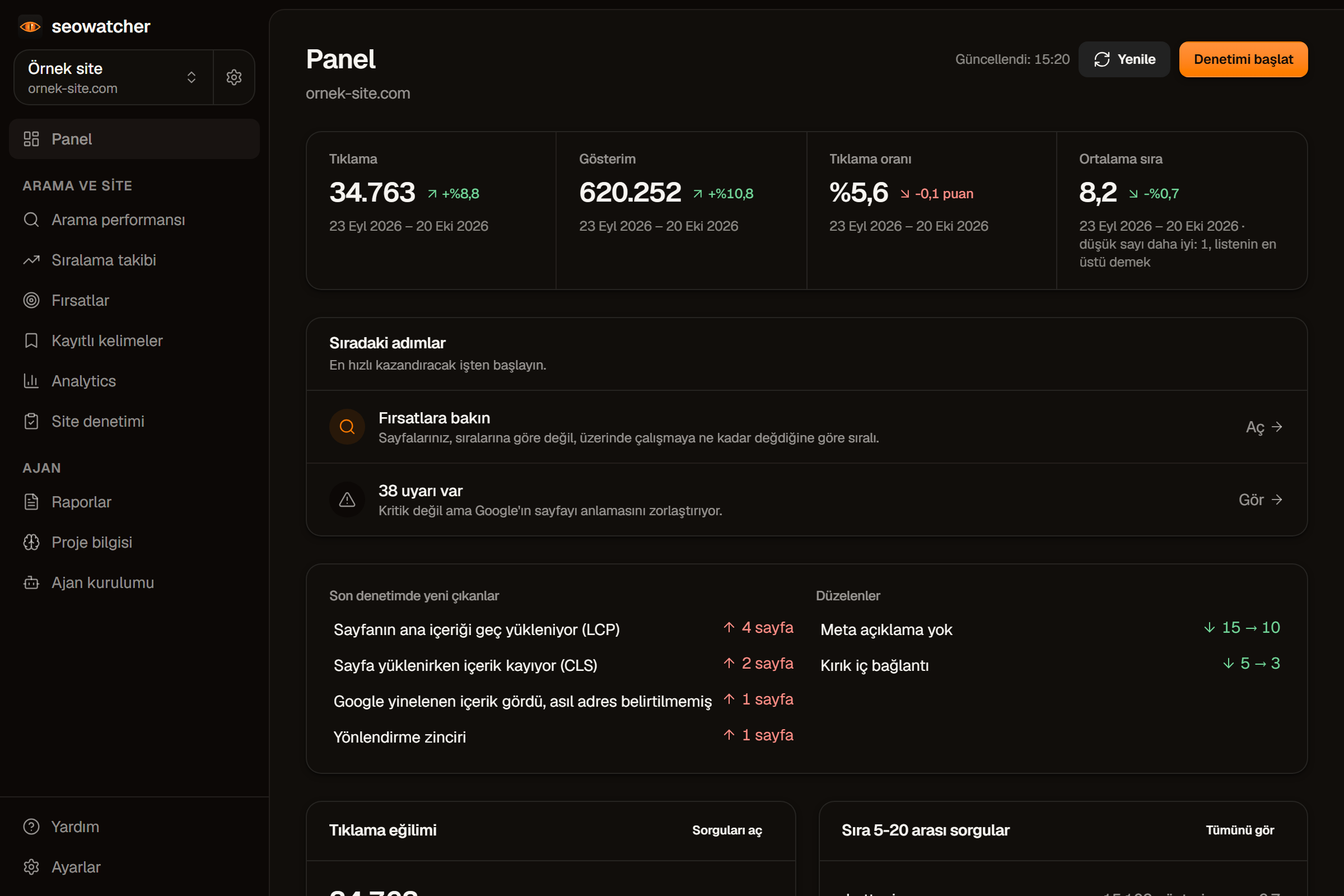
These are the app's real screens. Only the site and the numbers are examples.
It sorts the pages Google shows into four groups: rarely clicked, close to rising, already at the top, and buried deep. What to do is written next to each page, so there is no guessing. Opportunities guide.
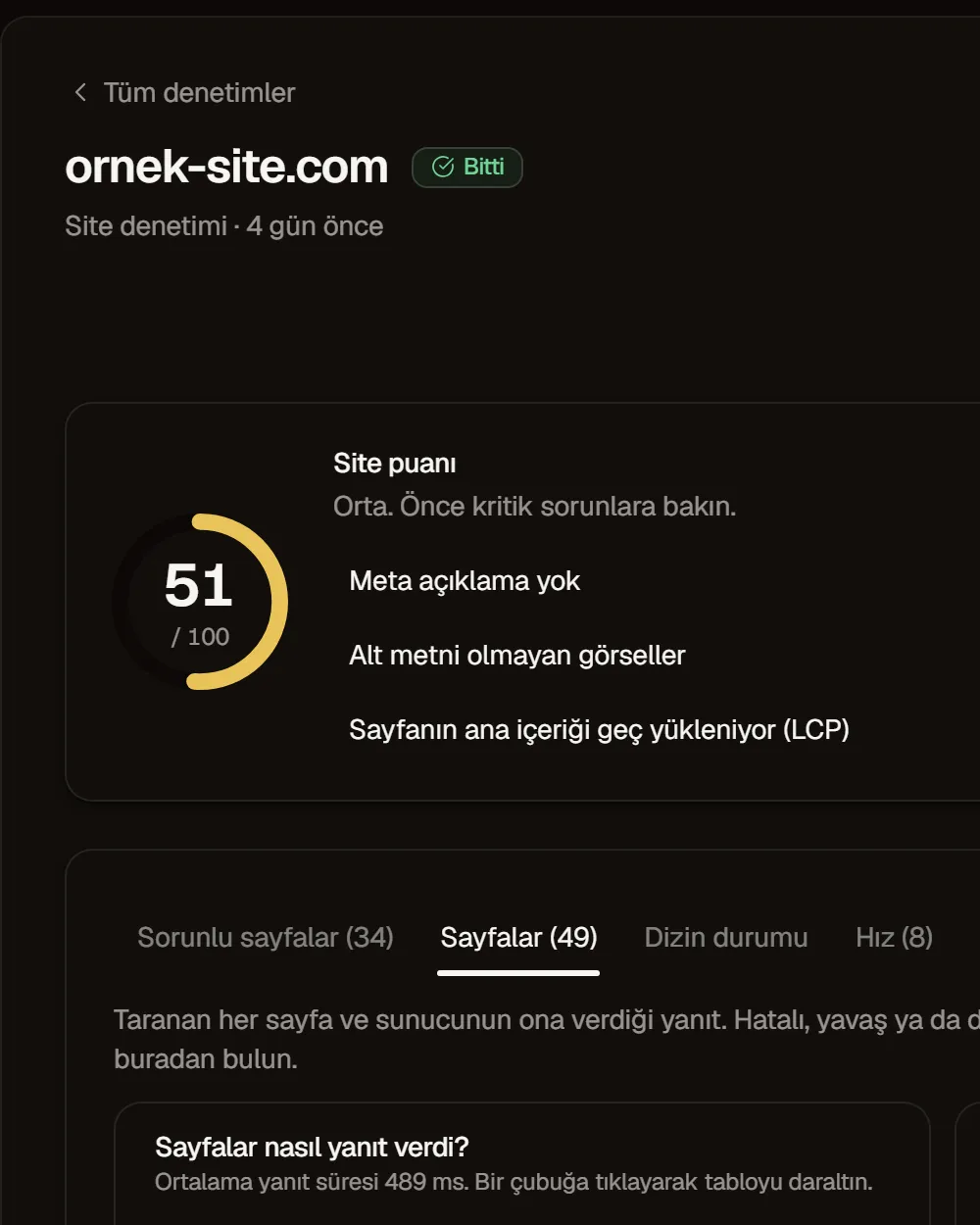
It walks your site page by page and checks it against 95 rules: broken links, missing or overlong titles, slow pages, pages Google has not indexed. Under every finding it says what to do, no technical help needed. Site audit guide.
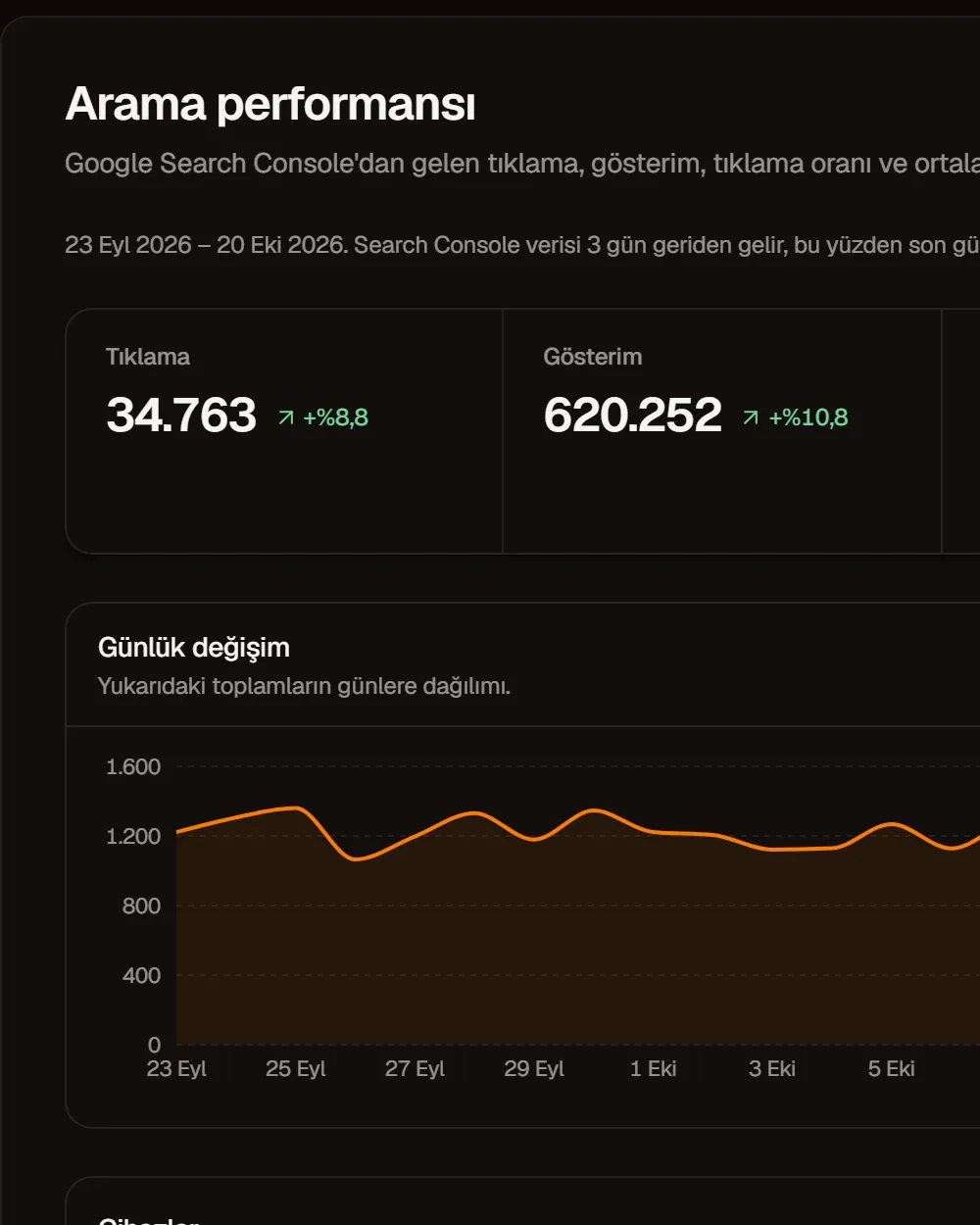
Look at it by query, page, country and device. The places where two of your pages compete for the same query are collected on their own tab. Search performance guide.
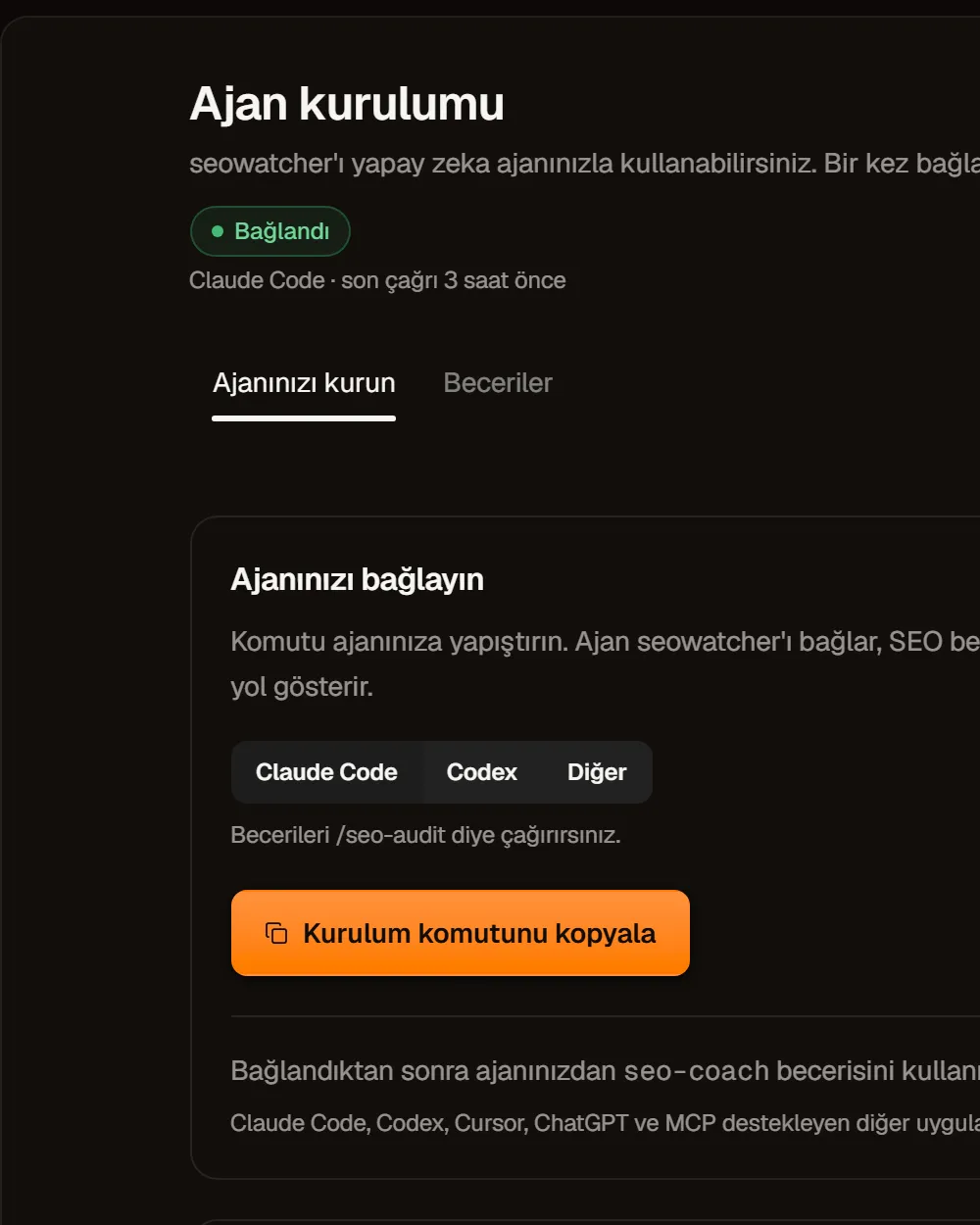
Claude Code, Codex or Cursor can read the app's data. There are ready-made tasks for the audit, a drop investigation, the monthly check-in and the report. The setup text is waiting on screen; copy it and paste it into your assistant. If you never connect one, the app loses nothing. Agent setup guide.
It reads only the data Google already gives you; it does not produce estimates.
Clicks, impressions, click rate and position, by query, page, country and device. The app also builds its own archive, so over time you can look further back.
Broken links, missing or overly long titles, slow pages, pages Google has not indexed. Under every finding it says what to do.
Google's record for each of your pages: indexed or not, why not, and when it was last crawled.
Your pages fall into four groups, with the ones most worth your effort at the top.
A report is a single file. Open it on a phone, print it, send it by email. Your assistant can prepare it if you like.
Connect Claude Code, Codex or Cursor and your assistant reads your numbers, runs the audit and writes the report. It comes with six ready-made tasks.
Claude CodeCodexCursorGemini CLI Free
No subscription, no setup fee. No card details, no account. Open source under the MIT license.
Total Windows downloads across all releases. Refreshed from GitHub every two minutes; not unique users.
Open the file and press Install. The app sets itself up and opens in your browser. After that you open and close it from the taskbar icon. Installation guide.
This is the longest step, but you do it only once. You get an access key from Google; the app shows every step on screen. Paste the key into the Ayarlar (Settings) screen and you are done. Step-by-step guide.
Connect Google and choose your site to load search data and opportunities. Run a site audit. Use the index-check button in the audit results to ask Google; saved answers appear without another request.
seowatcher is a free, MIT-licensed SEO app that shows Google Search Console, Google Analytics 4, its own site crawler and PageSpeed Insights in one panel. It installs on Windows 10 and 11 from a single file. On Mac and Linux it runs with Docker. Your data is stored on your computer. Its GitHub repository is called seotracker.
Yes. It is an MIT-licensed, open source project. All of the code is on GitHub. The Google services it uses stay within their free usage limits.
The installer does not have a digital signature yet, so Windows warns you. On the SmartScreen screen, click "More info", then "Run anyway". If you like, compare the file's fingerprint (SHA-256) with the value on the release page. Troubleshooting.
In the %LOCALAPPDATA%\seowatcher folder. The database, your Google access key and the logs are kept there. Uninstalling the app leaves this folder alone. To make a backup, just copy the folder.
seowatcher is not a cloud service. It runs on your computer and connects to Google directly. Google wants to know who owns the app that is connecting. You do this once. The app shows the steps on screen.
The numbers come from the same source, but the totals may not match. Google delivers data about three days late and hides rarely searched queries. The app shows the page total and the site total separately. A difference between the two is not a bug.
No. The app opens only from your own computer. It reads Search Console and Analytics data from Google. During an audit it crawls only the pages of the site you are auditing.
Search Console's sixteen months of history load into the app once you connect. You can look the same day.
A star helps other people find a free tool. Star it on GitHub